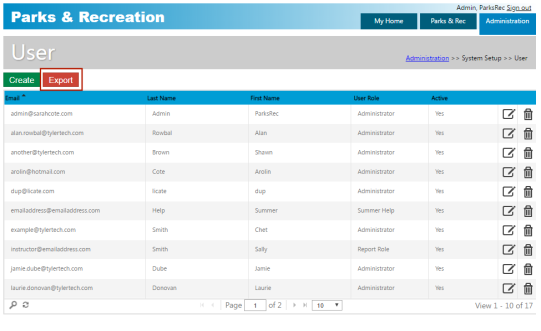
User
Administration > System Setup > User
User maintains individual user records. Once you create and save a user record, the Departments tab is active and the Change Password option is available. Use the Department tab to assign the user to a defined department; for example, if you created a user record for the payroll clerk, you could assign that record to the Payroll department. The Primary check box indicates the user’s primary department. The first department assigned to a user is selected automatically as the primary department, but you may change it if you assign more than one department to a user.
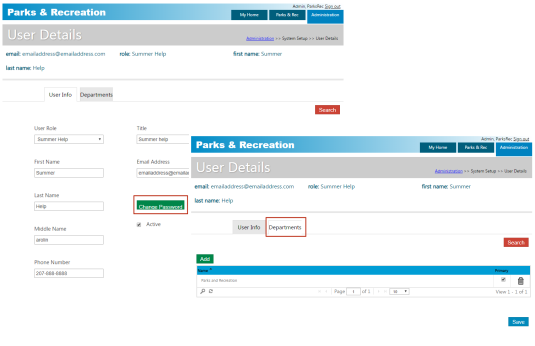
The same email address may be used for an administrative user who also is a contact; the passwords, however, may not be the same.
The Change Password option delivers a new password to the user by email.
When you use the Search option to create a list of users, click Export on the User page to export the user data to Microsoft Excel.